The Graywind Aeolus remote control is designed for homeowners who want direct control of several compatible smart shades without opening an app. It can manage up to 15 channels, operate shades individually or in groups, save a favorite position, and store up to 20 timer programs. These functions make it useful for rooms with several windows or for whole-home setups that need consistent daily shade movement. Compatibility depends on the selected Graywind motor, so confirm the remote and motor combination before ordering or pairing.

A Curved and Practical Design
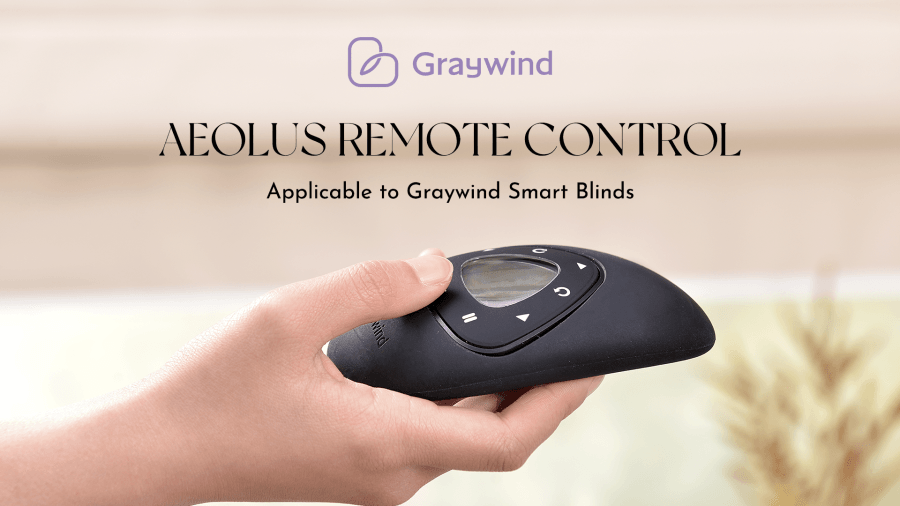
The Aeolus remote uses an all-black finish, a curved housing, and a clearly organized display instead of the straight, utilitarian form used by many basic shade remotes. Its moderate size and rounded edges support a comfortable grip, while the matte surface helps reduce slipping during use.
A backlit display makes the selected channel and settings easier to read in lower light. The controls are arranged for routine actions such as opening, closing, stopping, selecting channels, and recalling a saved position. Design should still support function, so users should become familiar with each button before changing limits or timer settings.
Control Up to 15 Smart Shades
The 15-channel layout allows one remote to manage up to 15 compatible shades or shade groups. Assign a separate channel to each window for individual control, or pair several shades to one channel when they should move together.
For example, living room shades can share one group while bedroom shades remain on separate channels. The remote communicates with supported motors through RF control, so it does not require a direct line of sight to the shade. Check the Graywind Smart and Control Guide before selecting a motor and remote combination.

Favorite Position and Timer Programs
The favorite function stores a preferred shade position between fully open and fully closed. This can be useful when you regularly lower shades to the same height for glare control or privacy.
The Aeolus remote control can also store up to 20 timer programs. Each program can be assigned to selected days, times, and channels, allowing compatible shades to move on a recurring schedule. Timer programming involves several menu steps, so follow the instructions for the exact remote model in the Graywind Online Manual.
Remote Control and Smart Home Functions
The Aeolus remote provides direct shade control, but it is not a universal smart home controller. App access, voice commands, and control while away from home depend on the motor, hub, network, and smart home platform selected with the shades.
Use the Graywind Smart Home Connection Guide to check whether additional equipment is required. Customers still choosing a window treatment can compare current Graywind Motorized Roller Shades and confirm the available motor and remote options on the relevant product page.

Designer Q & A
Q: What is your most satisfying part of the whole design?
A: The overall curved shape and the detachable triangular screen.
Q: What are the upgrades and enhancements of the new remote control compared to the previously launched one?
A: The accessories, bottom bar, cover shell and mounting code have been upgraded, the color will be more integrated, in addition to using magnetic charging, the solar panel is smaller and narrower, so it is more invisible and more suitable for outdoor curtains.
Q: What is the difference between Graywind remote control and other brands on the market?
A: As the brand's self-developed remote control, it has a certain price advantage, and the pricing will be cheaper than similar remote controls in the market.
The Aeolus remote is most useful when several compatible shades need direct, organized control from one device. Before programming it, list the shades or groups you want on each channel, then follow the model-specific pairing instructions. This preparation helps prevent duplicate channels and makes daily operation easier.